
SpotOn POS Review: Features, Pricing, and Who It Fits
SpotOn markets itself as POS plus payments plus marketing in one bundle—appealing if you want a single vendor, worth scrutinizing if you prefer to unbundle processing and shop rates.
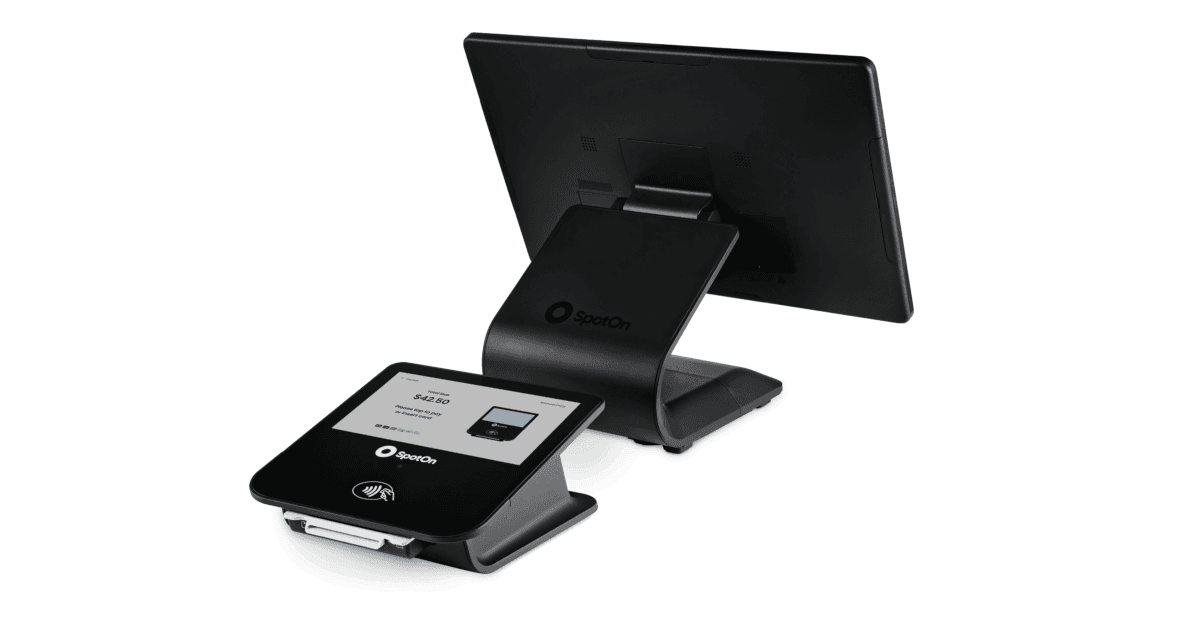
SpotOn serves restaurants, retail, and service businesses with proprietary hardware, software subscriptions, and integrated payment processing. Search interest spikes around "SpotOn vs Toast" and "SpotOn terminal review" because the company aggressively targets independents with bundled demos and local sales reps—understand what is bundled before you compare to à la carte stacks.
What SpotOn emphasizes
- Handheld and countertop hardware with house-brand industrial design.
- Built-in marketing tools: email, reviews, and loyalty in the ecosystem.
- Restaurant workflows including online ordering and delivery hooks.
- Retail inventory features for smaller specialty shops.
- Single-vendor support for software, payments, and hardware.
Bundle benefits and bundle risks
One contract simplifies support when something breaks on a Saturday night. It also reduces leverage on processing rates if you cannot separate POS from payments easily. Run your effective rate math on recent statements—or model projected volume on their quote—and compare to interchange-plus through an independent agent. Marketing add-ons only pay off if you use them; unused email credits are still a line item.
Who should shortlist SpotOn
Owners who want a hands-on sales relationship and all-in-one onboarding. Single-location restaurants and retailers upgrading from entry-level Square setups. Operators who will actually use bundled review and loyalty tools. Who should hesitate: merchants with existing low interchange-plus rates, multi-location groups needing centralized enterprise reporting, or high-risk categories that need specialty processing outside SpotOn's standard appetite.
Croft Business Solutions helps with comparing SpotOn bundles to Clover, Toast, and standalone interchange-plus processing. We explain options in plain language, review statements when useful, and stay one call away, not a ticket queue.
SpotOn wins searches for "POS and marketing together"—validate that the marketing side earns its keep and that processing is competitive for your card mix. A glossy terminal does not fix a 0.5% effective-rate gap over three years.
Who SpotOn is best for
Merchants searching for SpotOn usually care about a specific workflow—inventory sync, table service, field sales, or bundled marketing—not generic "best POS" lists. SpotOn bundles marketing tools; compare effective processing rate against interchange-plus programs. Demo with your rush-hour scenario and your top twenty SKUs before you commit.
Processing and effective rate
POS software fees are only half the contract. Bundled processing can hide markup behind "simple" pricing. Pull effective rate from statements: total fees divided by card sales. If you are quoted bundled rates, ask what happens when card mix shifts toward rewards or commercial cards.
- Ask whether you can use a third-party processor or must stay on the default integration.
- Confirm deposit timing for tips, batches, and holidays.
- Verify chargeback and retrieval support—not all POS vendors handle disputes the same way.
- Plan hardware replacement costs: readers, printers, and handhelds over three years.
How to audit your processing costs
Pull your last three months of statements and calculate effective rate: total fees the processor kept divided by total card sales. List every monthly line item—PCI, gateway, statement, regulatory—and note downgrades on keyed or chip-fallback transactions. That single exercise beats comparing teaser qualified rates from sales brochures.
- Compare effective rate month over month; spikes often follow rate changes or card-mix shifts.
- Separate interchange (wholesale) from markup if you are on interchange-plus.
- Count keyed versus chip-present volume; keyed and MOTO categories cost more.
- Verify batch close times—open batches can delay funding or cause reconciliation gaps.
Our guide on reading your merchant statement walks through each section. If numbers still do not reconcile, upload statements for a Croft review before you renew or switch.
Croft Business Solutions helps with POS selection, hardware programs, and processing that matches your volume. We explain options in plain language, review statements when useful, and stay one call away, not a ticket queue.
Croft Business Solutions boards merchants nationwide with interchange-plus pricing, dual pricing and compliant cost-recovery programs, free POS placement for qualified businesses, and hands-on support on the Gulf Coast and throughout North Georgia. Start with a free statement audit or instant quote if you know your monthly volume.
Why this matters for your bottom line
Card processing is not a fixed utility bill. Effective rate—total fees divided by card sales—shifts with card mix, ticket size, and whether staff consistently use chip and contactless. Merchants who audit statements quarterly catch drift before renewal season; those who only compare teaser qualified rates often overpay for years.
Practical next steps
- Calculate effective rate from your last three statements.
- List monthly fixed fees: PCI, gateway, software, equipment.
- Note keyed vs chip-present volume and any downgrades.
- Compare your program to interchange-plus transparency.
- Request a free statement audit before you renew.
How Croft helps
Croft Business Solutions partners with Omega Bank Card Services to offer interchange-plus pricing, compliant dual pricing, free POS placement for qualified merchants, Clover and countertop terminals, and gateways for omnichannel sales. We explain programs in plain language and stay reachable after onboarding—not a ticket queue.
Pull your last three months of statements and calculate effective rate: total fees the processor kept divided by total card sales. List every monthly line item—PCI, gateway, statement, regulatory—and note downgrades on keyed or chip-fallback transactions. That single exercise beats comparing teaser qualified rates from sales brochures.
- Compare effective rate month over month; spikes often follow rate changes or card-mix shifts.
- Separate interchange (wholesale) from markup if you are on interchange-plus.
- Count keyed versus chip-present volume; keyed and MOTO categories cost more.
- Verify batch close times—open batches can delay funding or cause reconciliation gaps.
Our guide on reading your merchant statement walks through each section. If numbers still do not reconcile, upload statements for a Croft review before you renew or switch.
Croft Business Solutions helps with transparent processing, POS placement, and statement reviews. We explain options in plain language, review statements when useful, and stay one call away, not a ticket queue.
Croft Business Solutions boards merchants nationwide with interchange-plus pricing, dual pricing and compliant cost-recovery programs, free POS placement for qualified businesses, and hands-on support on the Gulf Coast and throughout North Georgia. Start with a free statement audit or instant quote if you know your monthly volume.
Search rankings follow useful, specific content—but your business wins when checkout is reliable and fees are auditable. Use this guide as a checklist, then talk to a partner who will show the math.
Frequently asked questions
- Can I keep my processor if I change POS?
- Sometimes. Compatibility depends on POS, gateway, and sponsor bank. Share your current stack when requesting a quote so migration is planned—not guessed.
- Is free POS hardware really free?
- Often it is subsidized through processing commitment. Compare effective rate over 36 months against buying hardware outright with interchange-plus pricing.
- How do I compare processors fairly?
- Use effective rate on your actual statements, include all monthly fees, and compare funding speed and support—not brochure qualified rates.
- Does Croft work with my existing POS?
- Often yes, depending on POS and gateway. Share your current stack when requesting a quote so integration and migration are planned upfront.
Related reads

POS systems
Clover vs. Square vs. Toast: Which POS Fits Your Business?
Compare Clover, Square, and Toast for small businesses: hardware, pricing, industry fit, and processing integration so you pick a POS that matches how you sell.
POS systems
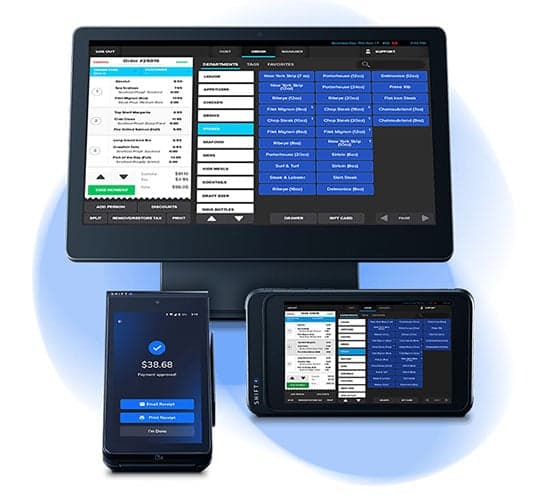
SkyTab and Shift4 POS: What Restaurant and Retail Owners Should Know
SkyTab by Shift4 POS review: restaurant features, pay-at-table, processing integration, contracts, and how Shift4 compares to Toast and SpotOn.
POS systems
POS Add-Ons That Actually Pay for Themselves
POS add-ons worth the cost: loyalty, online ordering, kitchen displays, inventory tools, and gift cards—how to estimate payback before you subscribe.
Want a second opinion on your statement?
We review what you pay today, line by line, and show how transparent pricing compares, no obligation to switch.