
Clover vs. Square vs. Toast: Which POS Fits Your Business?
Clover, Square, and Toast all promise an easier checkout, but they are built for different operators. The right choice depends on your menu or catalog complexity, staff size, and whether you need tight kitchen or inventory workflows—not just which brand has the sleekest ads.
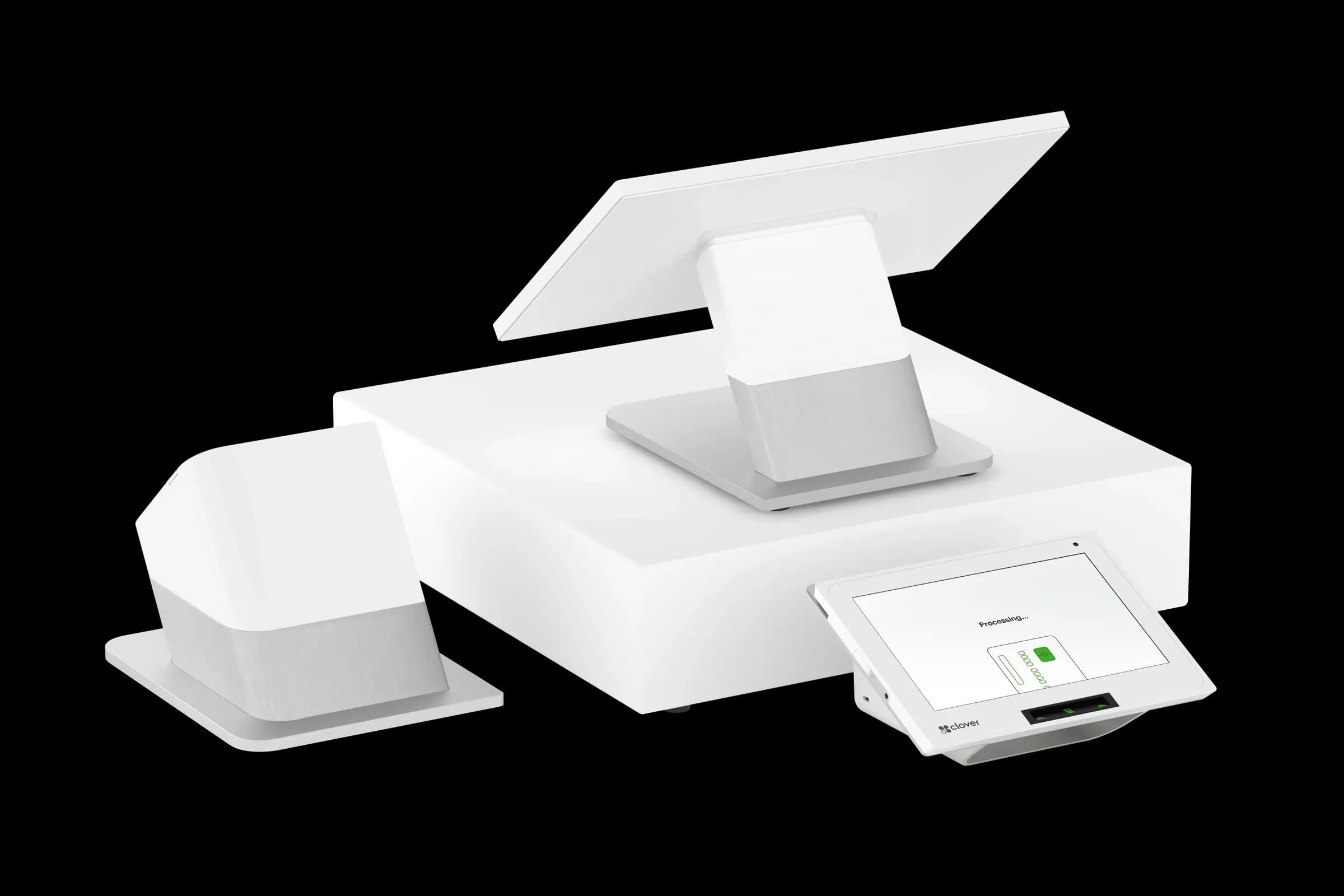
Square is often the fastest path for a solo operator or pop-up: simple pricing, familiar hardware, and a short learning curve. Clover shines when you want a flexible app marketplace, countertop and handheld options, and room to add loyalty, gift cards, or online ordering without swapping platforms. Toast is purpose-built for restaurants with deep kitchen display, course firing, and service models that live and die by ticket timing.
Match the platform to your business model
Retail and service businesses usually care about inventory, variants, and fast counter checkout. Full-service restaurants care about modifiers, coursing, and tip pooling. A platform that excels at one can feel clunky at the other. Before you compare monthly software fees, list the five transactions you run most often and see which system handles them without workarounds.
Hardware and total cost of ownership
Sticker price on a terminal is only part of the picture. Factor in replacement readers, extra handhelds for busy floors, kitchen printers, and whether you are buying outright or leasing through a processing program. Bundled “free” hardware often ties you to a specific processor—sometimes a good deal, sometimes not once you read the effective rate on your statement.
- Square: strong for micro-retail, cafes, and mobile sellers; fewer native restaurant depth features than Toast.
- Clover: broad app ecosystem; works well for retail, QSR, and hybrid shops that want add-ons over time.
- Toast: restaurant-first; table service, bars, and multi-location food brands are the sweet spot.
Processing integration matters
Your POS and your processor do not have to come from the same company, but they should talk cleanly. Mismatched integrations create double entry, delayed deposits, and reporting gaps. Croft Business Solutions works with Clover, Toast, and other major platforms—we help merchants pair the right POS with transparent processing so deposits, fees, and reports line up.
Croft Business Solutions helps with comparing Clover, Toast, Square, and other POS options with processing that fits your volume and card mix. We explain options in plain language, review statements when useful, and stay one call away, not a ticket queue.
Questions to ask before you sign
- Can I export my item and customer data if I leave?
- Does reporting show net sales and tips the way my accountant expects?
- What happens to my rates if I add a second location or online ordering?
- Who supports me on a Saturday night if the kitchen printer stops?
There is no universal winner—only a better fit for how you operate today and where you want to be in two years. Demo each finalist with a real rush-hour scenario, not a canned sales tour.
POS selection checklist
- List your five most common transactions and demo each on finalist systems.
- Export a sample catalog and customer file—migration pain shows up at go-live.
- Compare software, hardware, and processing as one effective cost picture.
- Confirm support hours match when you actually sell (nights, weekends).
- Read the data-export policy before you sign a multi-year agreement.
Pair POS with transparent processing
Croft works with Clover, Toast, countertop terminals, and gateways for omnichannel sales. The goal is one deposit timeline, auditable fees, and reports your accountant can reconcile—not a slick demo that falls apart at month-end.
How to audit your processing costs
Pull your last three months of statements and calculate effective rate: total fees the processor kept divided by total card sales. List every monthly line item—PCI, gateway, statement, regulatory—and note downgrades on keyed or chip-fallback transactions. That single exercise beats comparing teaser qualified rates from sales brochures.
- Compare effective rate month over month; spikes often follow rate changes or card-mix shifts.
- Separate interchange (wholesale) from markup if you are on interchange-plus.
- Count keyed versus chip-present volume; keyed and MOTO categories cost more.
- Verify batch close times—open batches can delay funding or cause reconciliation gaps.
Our guide on reading your merchant statement walks through each section. If numbers still do not reconcile, upload statements for a Croft review before you renew or switch.
Croft Business Solutions helps with POS selection, hardware programs, and processing that matches your volume. We explain options in plain language, review statements when useful, and stay one call away, not a ticket queue.
Croft Business Solutions boards merchants nationwide with interchange-plus pricing, dual pricing and compliant cost-recovery programs, free POS placement for qualified businesses, and hands-on support on the Gulf Coast and throughout North Georgia. Start with a free statement audit or instant quote if you know your monthly volume.
Why this matters for your bottom line
Card processing is not a fixed utility bill. Effective rate—total fees divided by card sales—shifts with card mix, ticket size, and whether staff consistently use chip and contactless. Merchants who audit statements quarterly catch drift before renewal season; those who only compare teaser qualified rates often overpay for years.
Practical next steps
- Calculate effective rate from your last three statements.
- List monthly fixed fees: PCI, gateway, software, equipment.
- Note keyed vs chip-present volume and any downgrades.
- Compare your program to interchange-plus transparency.
- Request a free statement audit before you renew.
How Croft helps
Croft Business Solutions partners with Omega Bank Card Services to offer interchange-plus pricing, compliant dual pricing, free POS placement for qualified merchants, Clover and countertop terminals, and gateways for omnichannel sales. We explain programs in plain language and stay reachable after onboarding—not a ticket queue.
Pull your last three months of statements and calculate effective rate: total fees the processor kept divided by total card sales. List every monthly line item—PCI, gateway, statement, regulatory—and note downgrades on keyed or chip-fallback transactions. That single exercise beats comparing teaser qualified rates from sales brochures.
- Compare effective rate month over month; spikes often follow rate changes or card-mix shifts.
- Separate interchange (wholesale) from markup if you are on interchange-plus.
- Count keyed versus chip-present volume; keyed and MOTO categories cost more.
- Verify batch close times—open batches can delay funding or cause reconciliation gaps.
Our guide on reading your merchant statement walks through each section. If numbers still do not reconcile, upload statements for a Croft review before you renew or switch.
Croft Business Solutions helps with transparent processing, POS placement, and statement reviews. We explain options in plain language, review statements when useful, and stay one call away, not a ticket queue.
Croft Business Solutions boards merchants nationwide with interchange-plus pricing, dual pricing and compliant cost-recovery programs, free POS placement for qualified businesses, and hands-on support on the Gulf Coast and throughout North Georgia. Start with a free statement audit or instant quote if you know your monthly volume.
Search rankings follow useful, specific content—but your business wins when checkout is reliable and fees are auditable. Use this guide as a checklist, then talk to a partner who will show the math.
Frequently asked questions
- Can I keep my processor if I change POS?
- Sometimes. Compatibility depends on POS, gateway, and sponsor bank. Share your current stack when requesting a quote so migration is planned—not guessed.
- Is free POS hardware really free?
- Often it is subsidized through processing commitment. Compare effective rate over 36 months against buying hardware outright with interchange-plus pricing.
- How do I compare processors fairly?
- Use effective rate on your actual statements, include all monthly fees, and compare funding speed and support—not brochure qualified rates.
- Does Croft work with my existing POS?
- Often yes, depending on POS and gateway. Share your current stack when requesting a quote so integration and migration are planned upfront.
Related reads
POS systems
Retail vs. Restaurant POS: Why One Size Doesn't Fit All
Retail and restaurant POS needs differ: inventory, modifiers, tipping, kitchen routing, and reporting. Learn why a generic system often costs more in workarounds.
POS systems
Choosing a POS System That Grows With Your Business
Pick a POS that scales: second locations, ecommerce, franchise reporting, permissions, and integration roadmaps so you do not outgrow your stack in year two.
POS systems
POS Add-Ons That Actually Pay for Themselves
POS add-ons worth the cost: loyalty, online ordering, kitchen displays, inventory tools, and gift cards—how to estimate payback before you subscribe.
Want a second opinion on your statement?
We review what you pay today, line by line, and show how transparent pricing compares, no obligation to switch.