
From Single Location to Multi-Location: Scaling Restaurant Payment Systems
Opening location two is exciting until you realize location one’s payment setup was held together with habit, not architecture. Scaling restaurant payment systems means standardizing hardware, processor relationships, and reporting before growth outruns your back office.
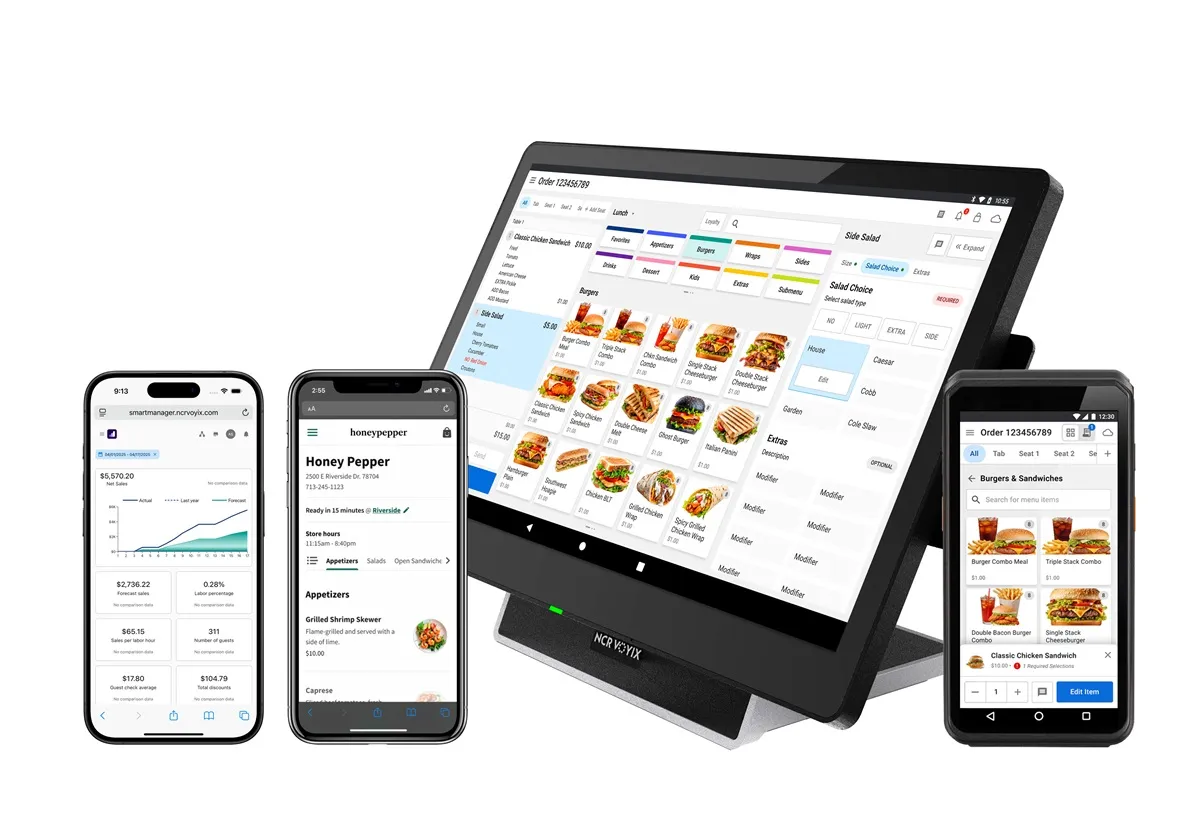
Single-unit owners often negotiate processing ad hoc and add online ordering later. Multi-unit groups need a playbook: same terminal model, same tip policy, same close-out checklist, same support contact. Without that, each new store invents its own problems.
Standardize before you replicate
Document what works at store one: POS version, reader model, batch time, online gateway, gift card rules. Clone intentionally. "Sort of the same" setups create finance nightmares when investors or franchisors ask for consolidated reporting.
Merchant ID and deposit strategy
Separate MIDs per store simplify local accounting; consolidated MIDs simplify processor negotiations. Your CPA and attorney should weigh in early. Whatever you choose, map deposits to store IDs in reporting so GMs are accountable and owners see truth weekly.
- Negotiate processing as a portfolio once you have volume across stores.
- Keep spare hardware standardized for quick swaps anywhere in the group.
- Centralize chargeback response so patterns get fixed system-wide.
Marketing and payments at scale
Growing groups often give each store a different website vendor. Swipe & Grow scales as a bundled template: consistent brand, local pages, shared SEO playbooks, and processing under one umbrella. That reduces the chaos of ten different pay links and ten different review workflows.
Croft Business Solutions helps with restaurant groups opening new locations and aligning POS, processing, and optional Swipe & Grow marketing across the portfolio. We explain options in plain language, review statements when useful, and stay one call away, not a ticket queue.
Plan the next store on day one
When you sign processing and POS for location two, ask how location five reports. Migration costs explode if you treat each opening as a one-off. Scale-friendly decisions feel slower upfront and save quarters of cleanup later.
Restaurant processing pitfalls
- Keyed transactions when chip readers fail during rush—train backup procedures.
- Wrong MCC or descriptor causing chargebacks on bar tabs and catering.
- Tip adjustment errors that confuse payroll and reporting.
- Batch close timing that delays weekend deposits.
- Online ordering fees stacked on top of in-store processing.
POS and kitchen workflow
Table service lives on ticket timing: modifiers, coursing, kitchen displays, and bar tabs. Retail-first POS platforms struggle here. Compare Clover, Toast, and specialty systems with a Friday-night scenario—not a Tuesday lunch demo.
Programs that protect margin
Compliant dual pricing and cash-discount programs can offset interchange on thin-margin tickets when implemented correctly. Audit statements monthly; restaurant card mix skews toward rewards cards that cost more than debit-heavy retail.
How to audit your processing costs
Pull your last three months of statements and calculate effective rate: total fees the processor kept divided by total card sales. List every monthly line item—PCI, gateway, statement, regulatory—and note downgrades on keyed or chip-fallback transactions. That single exercise beats comparing teaser qualified rates from sales brochures.
- Compare effective rate month over month; spikes often follow rate changes or card-mix shifts.
- Separate interchange (wholesale) from markup if you are on interchange-plus.
- Count keyed versus chip-present volume; keyed and MOTO categories cost more.
- Verify batch close times—open batches can delay funding or cause reconciliation gaps.
Our guide on reading your merchant statement walks through each section. If numbers still do not reconcile, upload statements for a Croft review before you renew or switch.
Croft Business Solutions helps with restaurant POS, tip reporting, and transparent processing for full-service and QSR. We explain options in plain language, review statements when useful, and stay one call away, not a ticket queue.
Croft Business Solutions boards merchants nationwide with interchange-plus pricing, dual pricing and compliant cost-recovery programs, free POS placement for qualified businesses, and hands-on support on the Gulf Coast and throughout North Georgia. Start with a free statement audit or instant quote if you know your monthly volume.
Why this matters for your bottom line
Card processing is not a fixed utility bill. Effective rate—total fees divided by card sales—shifts with card mix, ticket size, and whether staff consistently use chip and contactless. Merchants who audit statements quarterly catch drift before renewal season; those who only compare teaser qualified rates often overpay for years.
Practical next steps
- Calculate effective rate from your last three statements.
- List monthly fixed fees: PCI, gateway, software, equipment.
- Note keyed vs chip-present volume and any downgrades.
- Compare your program to interchange-plus transparency.
- Request a free statement audit before you renew.
How Croft helps
Croft Business Solutions partners with Omega Bank Card Services to offer interchange-plus pricing, compliant dual pricing, free POS placement for qualified merchants, Clover and countertop terminals, and gateways for omnichannel sales. We explain programs in plain language and stay reachable after onboarding—not a ticket queue.
Pull your last three months of statements and calculate effective rate: total fees the processor kept divided by total card sales. List every monthly line item—PCI, gateway, statement, regulatory—and note downgrades on keyed or chip-fallback transactions. That single exercise beats comparing teaser qualified rates from sales brochures.
- Compare effective rate month over month; spikes often follow rate changes or card-mix shifts.
- Separate interchange (wholesale) from markup if you are on interchange-plus.
- Count keyed versus chip-present volume; keyed and MOTO categories cost more.
- Verify batch close times—open batches can delay funding or cause reconciliation gaps.
Our guide on reading your merchant statement walks through each section. If numbers still do not reconcile, upload statements for a Croft review before you renew or switch.
Croft Business Solutions helps with transparent processing, POS placement, and statement reviews. We explain options in plain language, review statements when useful, and stay one call away, not a ticket queue.
Croft Business Solutions boards merchants nationwide with interchange-plus pricing, dual pricing and compliant cost-recovery programs, free POS placement for qualified businesses, and hands-on support on the Gulf Coast and throughout North Georgia. Start with a free statement audit or instant quote if you know your monthly volume.
Search rankings follow useful, specific content—but your business wins when checkout is reliable and fees are auditable. Use this guide as a checklist, then talk to a partner who will show the math.
Frequently asked questions
- Toast or Clover for my restaurant?
- Toast for deep restaurant ops and multi-location; Clover for hybrid shops and strong app flexibility. Your service model—not brand ads—should decide.
- How do I compare processors fairly?
- Use effective rate on your actual statements, include all monthly fees, and compare funding speed and support—not brochure qualified rates.
- Does Croft work with my existing POS?
- Often yes, depending on POS and gateway. Share your current stack when requesting a quote so integration and migration are planned upfront.
Related reads
Restaurant & food service
How to Choose a POS System for a Multi-Location Restaurant
Choosing restaurant POS for multiple locations: centralized menus, reporting, permissions, payment integration, and rollout planning for growing groups.
Swipe & Grow
Why Bundling Marketing and Payments Saves Restaurant Owners Time and Money
Bundling restaurant payment processing with website, SEO, and marketing through Swipe & Grow saves time, reduces vendor sprawl, and aligns guest data across channels.
Restaurant & food service
Online Ordering + Payment Integration: Avoiding the Common Pitfalls
Restaurant online ordering payment mistakes: double gateways, mismatched menus, tip and refund gaps, and how to integrate delivery with in-store POS.


Want a second opinion on your statement?
We review what you pay today, line by line, and show how transparent pricing compares, no obligation to switch.