
QuickBooks and Countertop Terminals: How Integration Actually Works
Countertop terminals capture chip, tap, and swipe at the register—but your bookkeeper lives in QuickBooks Online. Integration closes that gap when sales, tenders, and payment records land in the right accounts without re-keying every batch from a terminal report.

“Integrates with QuickBooks” on a terminal box usually means something upstream—the gateway or POS—not magic inside the plastic. A countertop terminal is the capture device; QuickBooks Online handoff happens through iPOSpays portal settings, the Valor Portal, or a Clover app install. Before you buy hardware, confirm the full stack: terminal, gateway, merchant ID, and QuickBooks connection.
Three Croft-supported paths for countertop + QuickBooks
Croft positions three stacks for merchants who want card-present sales in QuickBooks without juggling vendors. Each fits different counters and workflows; none replaces reading your processing statement or mapping fees correctly in accounting.
- Dejavoo countertop terminals on iPOSpays: enable QuickBooks in the portal Settings tab, connect your QuickBooks Online company, and route terminal batches through the TPN that has integration turned on. Step-by-step: iPOSpays + QuickBooks guide.
- Valor PayTech: Virtual Terminal and card-present POS workflows can sync through the Valor Portal when your program includes QuickBooks handoff—ideal when in-store and invoice volume should land in one company file. See Valor + QuickBooks.
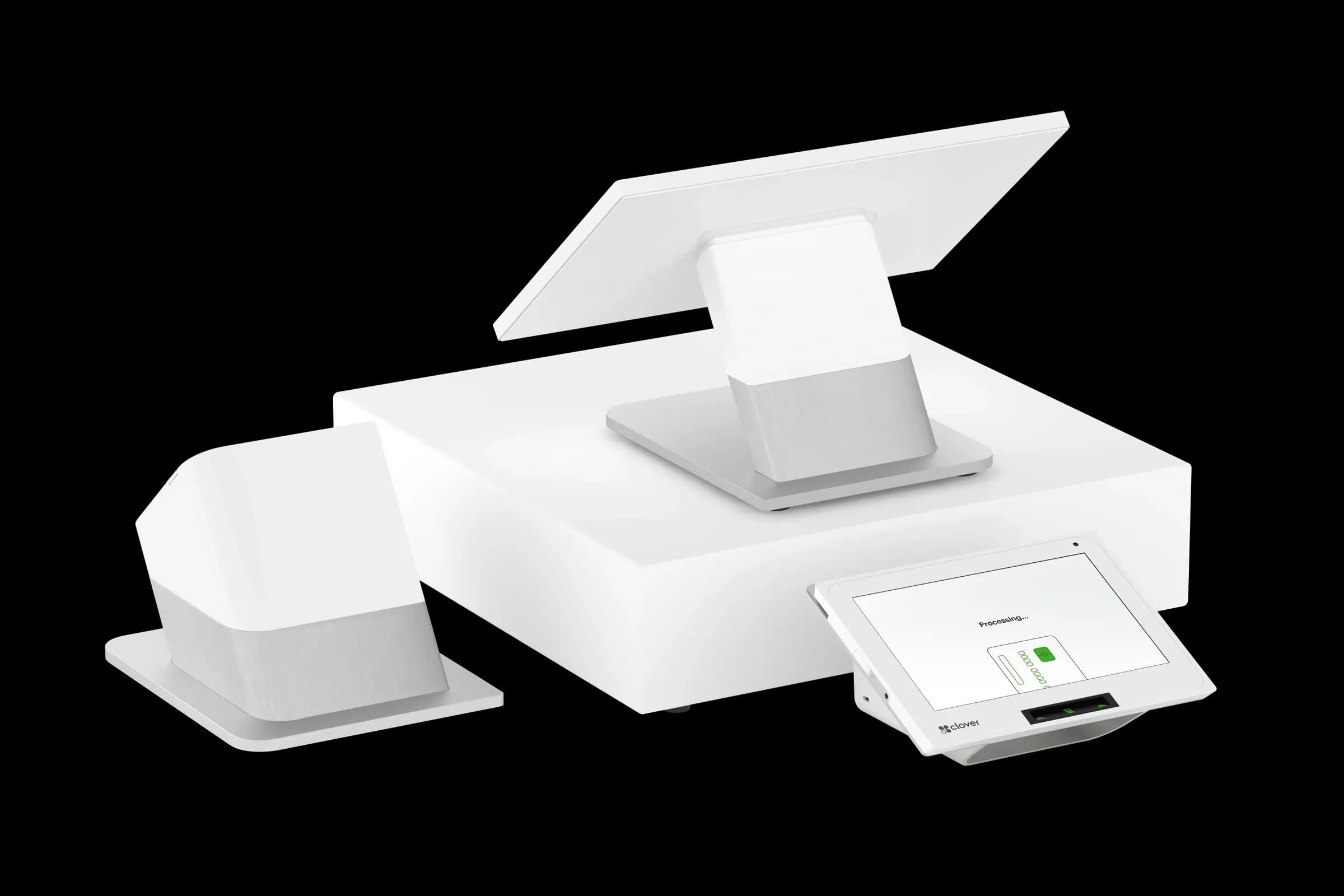
- Clover POS with countertop stations: add QuickBooks Online sync from the Clover App Marketplace when the register is your system of record for tenders, tips, and categories.
Compare all three on our QuickBooks integration overview. Gateway comparison pages flag QuickBooks support for Dejavoo iPOSpays and Valor PayTech where enabled on your program.
Countertop terminal vs full POS: integration differs
A standalone terminal on iPOSpays or Valor often posts payments and daily activity into QuickBooks while item detail stays minimal—fine for a front desk or service counter. A full POS like Clover pushes richer category and tender data, which helps if your chart of accounts expects department-level sales. Our guide on integrating POS with accounting software covers mapping tips, tax, gift cards, and fee lines regardless of hardware shape.
If you only need “card run at counter → books updated,” a countertop terminal plus gateway handoff may beat buying a full POS. If modifiers, inventory, and kitchen routing matter, start with POS integration expectations in QuickBooks & your POS: what integration should actually do.
Setup checklist before go-live
- Confirm QuickBooks Online (not Desktop-only workflows) matches what your processor supports.
- Verify integration is enabled on your merchant TPN or Valor program—not every account ships with it on.
- Map income, sales tax payable, tips payable, and processing fee expense before the first sync.
- Test one small batch: run a sale on the terminal, confirm the QuickBooks entry, then void or refund to see how offsets appear.
- Document who to call for sync errors: processor, portal vendor, or Intuit support.
What still needs manual reconciliation
QuickBooks will not automatically explain interchange on your merchant statement. Bank deposits are net of fees and timing delays. Integration cuts re-keying time; you still match terminal batches to deposits on a rolling schedule—the same habit described in our accounting integration guide. Owners who review one sync report monthly catch drift before tax season.
Hardware and connectivity at the counter
Countertop terminals need stable Ethernet or Wi-Fi, counter space, and cable routing. High-volume lanes benefit from wired connections; Wi-Fi works when cabling is impractical. When you request a quote, share whether you need QuickBooks handoff, recurring billing, or multi-location reporting so terminal, gateway, and sync are quoted together—not as three separate projects.
Croft Business Solutions helps with countertop terminals with iPOSpays or Valor QuickBooks handoff, plus Clover POS paths that feed QuickBooks Online. We explain options in plain language, review statements when useful, and stay one call away, not a ticket queue.
QuickBooks is a trademark of Intuit Inc. Croft Business Solutions is not affiliated with Intuit. The goal is one story in your books: gross sales at the counter, obligations in the right liability accounts, and deposits that match what your accountant expects—without typing every terminal batch by hand.
Why this matters for your bottom line
Card processing is not a fixed utility bill. Effective rate—total fees divided by card sales—shifts with card mix, ticket size, and whether staff consistently use chip and contactless. Merchants who audit statements quarterly catch drift before renewal season; those who only compare teaser qualified rates often overpay for years.
Practical next steps
- Calculate effective rate from your last three statements.
- List monthly fixed fees: PCI, gateway, software, equipment.
- Note keyed vs chip-present volume and any downgrades.
- Compare your program to interchange-plus transparency.
- Request a free statement audit before you renew.
How Croft helps
Croft Business Solutions partners with Omega Bank Card Services to offer interchange-plus pricing, compliant dual pricing, free POS placement for qualified merchants, Clover and countertop terminals, and gateways for omnichannel sales. We explain programs in plain language and stay reachable after onboarding—not a ticket queue.
How to audit your processing costs
Pull your last three months of statements and calculate effective rate: total fees the processor kept divided by total card sales. List every monthly line item—PCI, gateway, statement, regulatory—and note downgrades on keyed or chip-fallback transactions. That single exercise beats comparing teaser qualified rates from sales brochures.
- Compare effective rate month over month; spikes often follow rate changes or card-mix shifts.
- Separate interchange (wholesale) from markup if you are on interchange-plus.
- Count keyed versus chip-present volume; keyed and MOTO categories cost more.
- Verify batch close times—open batches can delay funding or cause reconciliation gaps.
Our guide on reading your merchant statement walks through each section. If numbers still do not reconcile, upload statements for a Croft review before you renew or switch.
Croft Business Solutions helps with transparent processing, POS placement, and statement reviews. We explain options in plain language, review statements when useful, and stay one call away, not a ticket queue.
Croft Business Solutions boards merchants nationwide with interchange-plus pricing, dual pricing and compliant cost-recovery programs, free POS placement for qualified businesses, and hands-on support on the Gulf Coast and throughout North Georgia. Start with a free statement audit or instant quote if you know your monthly volume.
Search rankings follow useful, specific content—but your business wins when checkout is reliable and fees are auditable. Use this guide as a checklist, then talk to a partner who will show the math.
Frequently asked questions
- Do all countertop terminals sync with QuickBooks?
- No. Sync depends on your gateway, merchant program, and sometimes your POS—not the terminal brand alone. Dejavoo devices on iPOSpays and Valor PayTech on supported Croft programs offer native QuickBooks Online handoff; Clover uses the Clover App Marketplace. Standalone terminals on gateways without QuickBooks support still need manual export or a third-party connector.
- What posts from a countertop terminal to QuickBooks?
- On enabled programs, card-present sales can flow as payment records tied to customers or invoices, or as daily summaries depending on your setup. Tips, tax, refunds, and processing fees may still need mapping in your chart of accounts—integration reduces duplicate entry; it does not replace reconciliation against bank deposits.
- Can I use a countertop terminal without a full POS?
- Yes. Many professional offices and light retail counters run a standalone Dejavoo or similar terminal on iPOSpays or Valor with QuickBooks handoff—no Clover-style inventory required. Match hardware to connectivity (Ethernet vs Wi-Fi) and confirm the device boards on your intended gateway before you order.
- How do I compare processors fairly?
- Use effective rate on your actual statements, include all monthly fees, and compare funding speed and support—not brochure qualified rates.
- Does Croft work with my existing POS?
- Often yes, depending on POS and gateway. Share your current stack when requesting a quote so integration and migration are planned upfront.
Related reads
Back office
QuickBooks & Your POS: What Integration Should Actually Do
What QuickBooks and POS integration should deliver: sales sync, fees, inventory limits, reconciliation habits, and questions to ask before you buy.
POS systems
Integrating Your POS With Accounting Software: A Step-by-Step Guide
Connect your POS to QuickBooks or similar accounting: chart of accounts mapping, daily sales summaries, tips, fees, and reconciliation habits that save month-end pain.

Fees & transparency
How to Save Money on QuickBooks Payments (Without Leaving QuickBooks Online)
QuickBooks Payments fees add up fast. Compare effective rates, invoice convenience, and merchant-account alternatives that still sync with QuickBooks Online.
Want a second opinion on your statement?
We review what you pay today, line by line, and show how transparent pricing compares, no obligation to switch.