
Best POS System for Coffee Shop & Café in 2026
The best POS for coffee shop & café is the one that matches service flow, reporting needs, and processing transparency—not the brand with the flashiest demo.

Coffee Shop & Café merchants search for POS systems that match service flow, reporting, and processing transparency. The best POS for coffee shop & café is the one that matches service flow, reporting needs, and processing transparency—not the brand with the flashiest demo. Croft boards coffee shop & café nationwide with interchange-plus pricing, compliant dual pricing when appropriate, and hands-on support.
Industry-specific programs and rates context: Coffee Shop & Café merchant services. Whether you run one location or several, the goal is the same—predictable deposits, auditable fees, and hardware that matches how staff actually take payment.
Why coffee shop & café processing is different from generic retail
Coffee Shop & Café live on thin margins, tipped wages, and rush-period throughput. Downgrades from keyed entries, wrong MCC coding, or tip-adjustment errors show up as surprise fees. Your processor should understand batch timing around closeout and bar tabs—not just quote a qualified rate from a brochure.
Features to prioritize
- Checkout speed and training curve during real rush periods.
- Inventory, appointments, kitchen routing, or modifiers—whatever your format uses daily.
- Reporting that matches how you measure labor and COGS.
- Integrated tipping, gift cards, or loyalty when relevant.
- Processing disclosure on the same quote as software and hardware.
POS and hardware recommendations
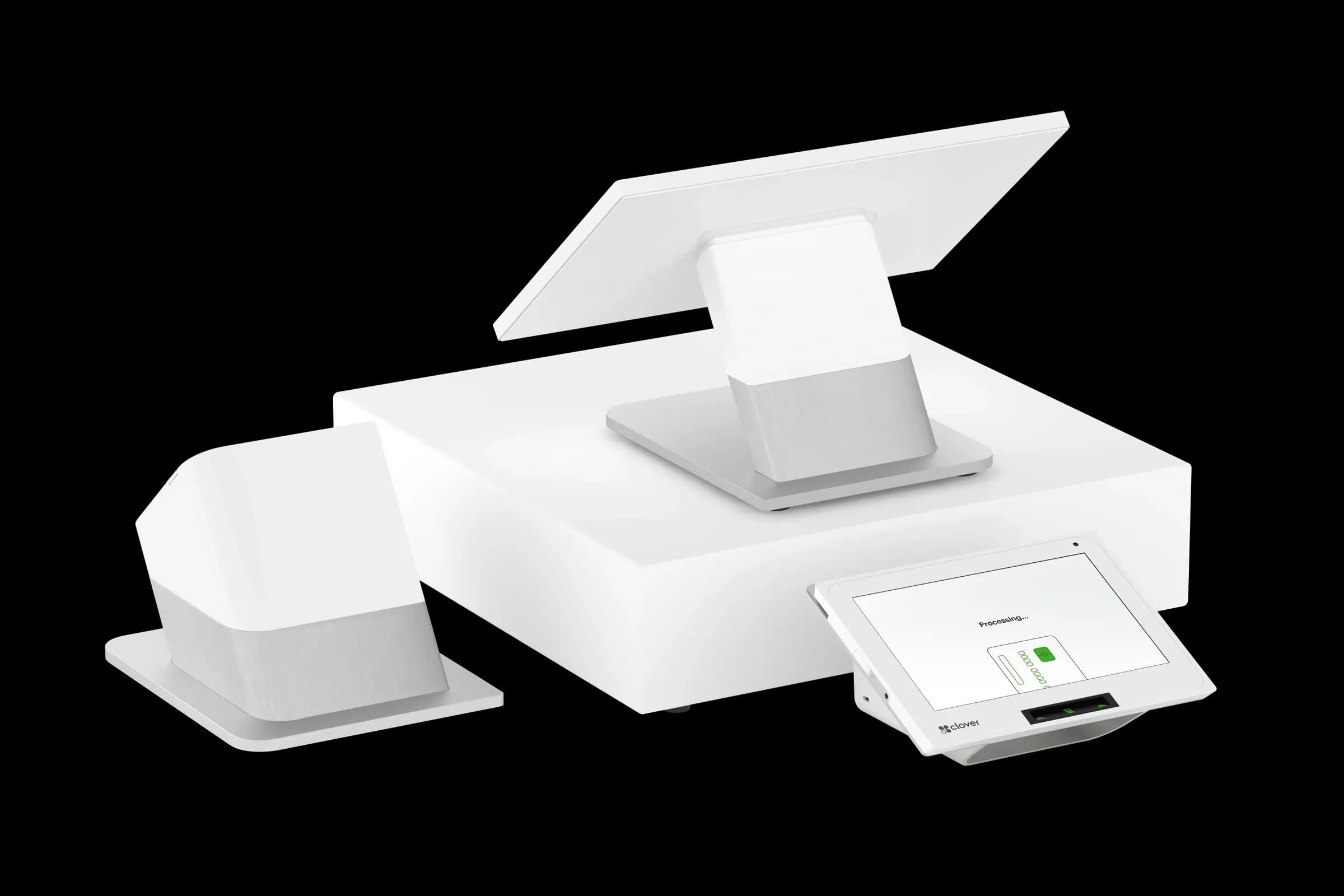
Many coffee shop & café shortlist Clover POS Solutions for software depth and Croft placement options. Compare total cost: software tiers, apps, hardware, and effective processing rate—not monthly software alone.
Compare before you sign
Demo with your actual menu, SKU list, or appointment types—not a sandbox. Ask about contract length, processing rate structure, funding holds, and what happens when you add a second location. Read our Clover vs Square vs Toast comparison if you are restaurant-adjacent.
Pricing models that hold up
Interchange-plus separates Visa and Mastercard wholesale cost from processor markup so you can audit both. Dual pricing and compliant cash discount recover cost when programmed with correct signage and terminal logic. Tiered “qualified” quotes are harder to verify when rewards and commercial cards dominate your mix.
Chargebacks, compliance, and underwriting
Accurate MCC, average ticket, card-present percentage, and refund policy on your application prevent mid-stream holds. Train staff on chip-first habits and clear receipts. Review descriptor text customers see on bank statements quarterly.
How to audit your processing costs
Pull your last three months of statements and calculate effective rate: total fees the processor kept divided by total card sales. List every monthly line item—PCI, gateway, statement, regulatory—and note downgrades on keyed or chip-fallback transactions. That single exercise beats comparing teaser qualified rates from sales brochures.
- Compare effective rate month over month; spikes often follow rate changes or card-mix shifts.
- Separate interchange (wholesale) from markup if you are on interchange-plus.
- Count keyed versus chip-present volume; keyed and MOTO categories cost more.
- Verify batch close times—open batches can delay funding or cause reconciliation gaps.
Our guide on reading your merchant statement walks through each section. If numbers still do not reconcile, upload statements for a Croft review before you renew or switch.
Croft Business Solutions helps with POS placement and processing for coffee shop & café with transparent pricing. We explain options in plain language, review statements when useful, and stay one call away, not a ticket queue.
Croft Business Solutions boards merchants nationwide with interchange-plus pricing, dual pricing and compliant cost-recovery programs, free POS placement for qualified businesses, and hands-on support on the Gulf Coast and throughout North Georgia. Start with a free statement audit or instant quote if you know your monthly volume.
The right POS partner for coffee shop & café shows where fees come from, answers the phone when deposits look wrong, and matches hardware to how you collect. That beats a teaser rate you cannot verify six months later.
Why this matters for your bottom line
Card processing is not a fixed utility bill. Effective rate—total fees divided by card sales—shifts with card mix, ticket size, and whether staff consistently use chip and contactless. Merchants who audit statements quarterly catch drift before renewal season; those who only compare teaser qualified rates often overpay for years.
Practical next steps
- Calculate effective rate from your last three statements.
- List monthly fixed fees: PCI, gateway, software, equipment.
- Note keyed vs chip-present volume and any downgrades.
- Compare your program to interchange-plus transparency.
- Request a free statement audit before you renew.
How Croft helps
Croft Business Solutions partners with Omega Bank Card Services to offer interchange-plus pricing, compliant dual pricing, free POS placement for qualified merchants, Clover and countertop terminals, and gateways for omnichannel sales. We explain programs in plain language and stay reachable after onboarding—not a ticket queue.
Pull your last three months of statements and calculate effective rate: total fees the processor kept divided by total card sales. List every monthly line item—PCI, gateway, statement, regulatory—and note downgrades on keyed or chip-fallback transactions. That single exercise beats comparing teaser qualified rates from sales brochures.
- Compare effective rate month over month; spikes often follow rate changes or card-mix shifts.
- Separate interchange (wholesale) from markup if you are on interchange-plus.
- Count keyed versus chip-present volume; keyed and MOTO categories cost more.
- Verify batch close times—open batches can delay funding or cause reconciliation gaps.
Our guide on reading your merchant statement walks through each section. If numbers still do not reconcile, upload statements for a Croft review before you renew or switch.
Croft Business Solutions helps with transparent processing, POS placement, and statement reviews. We explain options in plain language, review statements when useful, and stay one call away, not a ticket queue.
Croft Business Solutions boards merchants nationwide with interchange-plus pricing, dual pricing and compliant cost-recovery programs, free POS placement for qualified businesses, and hands-on support on the Gulf Coast and throughout North Georgia. Start with a free statement audit or instant quote if you know your monthly volume.
Search rankings follow useful, specific content—but your business wins when checkout is reliable and fees are auditable. Use this guide as a checklist, then talk to a partner who will show the math.
Frequently asked questions
- What is the best POS for coffee shop & café?
- The best POS matches daily workflow—Clover POS Solutions is a common shortlist, but demo with your data. Compare effective processing rate plus software and hardware over three years.
- Can coffee shop & café use Square or Stripe long term?
- Aggregators work for low volume and simple models. Many businesses switch to dedicated merchant accounts when tickets grow, chargebacks tick up, or interchange detail becomes necessary for budgeting.
- Does Croft offer free POS for this industry?
- Qualified merchants may receive free POS placement with processing—see [free Clover POS](/free-clover-pos) and your industry page for program availability.
- How do I compare processors fairly?
- Use effective rate on your actual statements, include all monthly fees, and compare funding speed and support—not brochure qualified rates.
- Does Croft work with my existing POS?
- Often yes, depending on POS and gateway. Share your current stack when requesting a quote so integration and migration are planned upfront.
Related reads
POS systems
Clover vs. Square vs. Toast: Which POS Fits Your Business?
Compare Clover, Square, and Toast for small businesses: hardware, pricing, industry fit, and processing integration so you pick a POS that matches how you sell.
POS systems
Retail vs. Restaurant POS: Why One Size Doesn't Fit All
Retail and restaurant POS needs differ: inventory, modifiers, tipping, kitchen routing, and reporting. Learn why a generic system often costs more in workarounds.
Industry guides
Credit Card Processing for Coffee Shop & Café
Credit card processing for coffee shop & café: typical rates, POS options, chargeback risks, and how coffee shop & café merchants lower effective processing costs.

Want a second opinion on your statement?
We review what you pay today, line by line, and show how transparent pricing compares, no obligation to switch.