
No-Cost POS: What It Really Means for Gulf Coast Businesses
“No-cost POS” does not mean hardware appears with zero strings attached everywhere in the market. It usually means the equipment is included as part of a processing program for businesses that qualify.
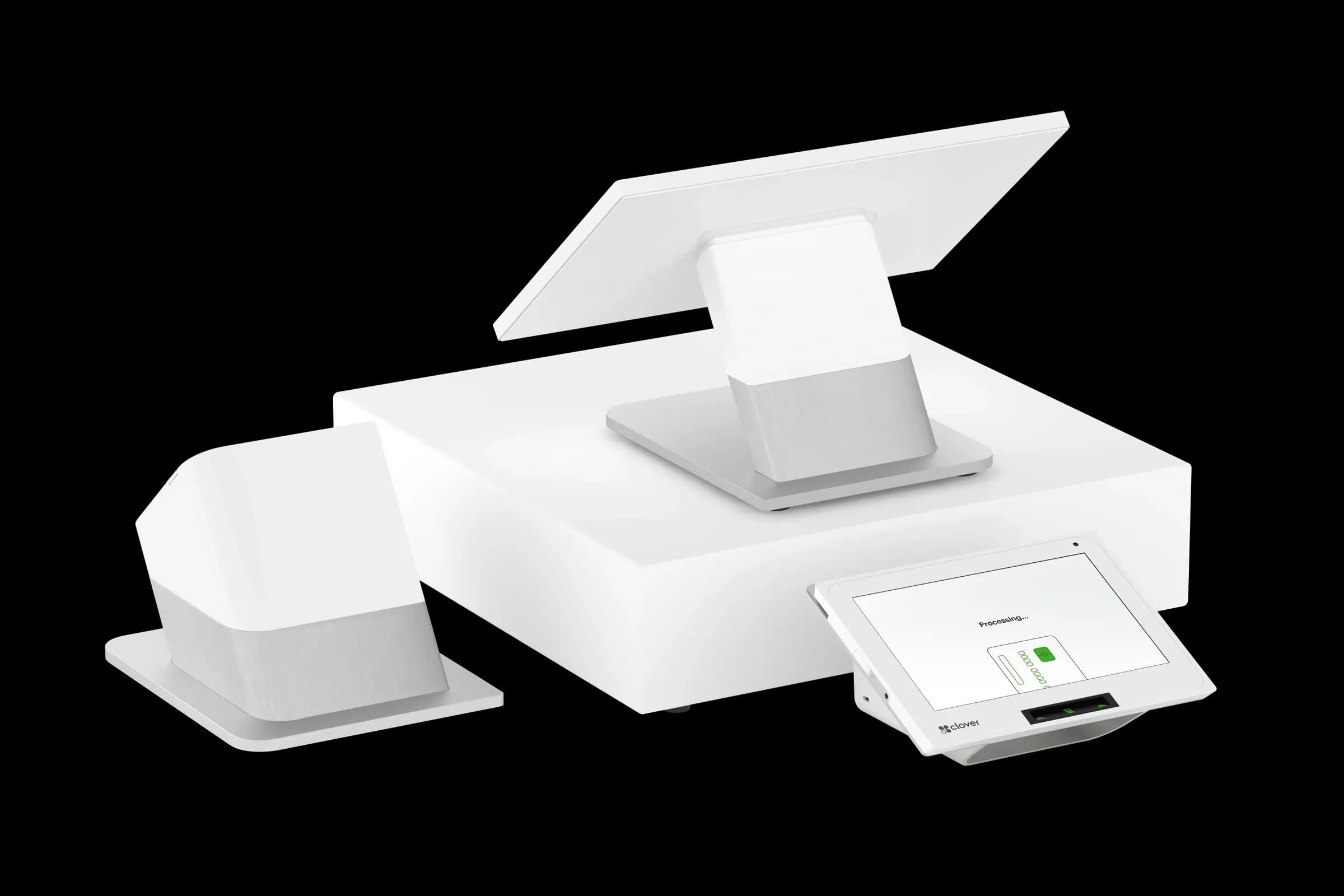
Processors and ISOs often bundle terminals or tablet-based systems when monthly card volume and business type meet program guidelines. The business still processes cards; the cost of the equipment is recovered through that relationship rather than a large upfront invoice. That is different from buying a register outright from a big-box store and pairing it with random apps.
What is typically included
Included equipment might be a countertop terminal, a compact POS bundle, or a mobile setup depending on the program. Software features, peripherals, and replacement policies vary by offer. Ask specifically what ships on day one, what is optional, and who supports it if something fails during dinner rush or holiday weekend.
Also clarify buyout or return expectations if you later change processors. Ethical providers explain this up front instead of burying it in PDFs you never see until you switch.
Gulf Coast businesses often outgrow entry-level setups faster than they expect. Second locations, longer hours, or new product lines all change tender patterns. Ask how easy it is to add lanes, handhelds, or kitchen printers later, and whether those additions stay inside the same service agreement. A program that scales with you avoids the disruption of ripping everything out in eighteen months.
Qualification is normal
Not every applicant receives the same bundle. Volume, industry, and underwriting standards exist for a reason. They protect both the merchant and the program. If someone promises every business the same no-cost package with no questions asked, slow down and verify details.
- Which devices and accessories are included versus add-on?
- Who handles warranty, shipping, and overnight replacement?
- How are software updates and security patches delivered?
Croft Business Solutions lays out included equipment, processing structure, and support expectations for qualified businesses nationwide. We would rather set realistic expectations than oversell a stack you outgrow in six months.
No-cost POS can be a strong fit when the program matches your ticket size, tender mix, and growth plans. The win is clarity: know what you are getting, how service works, and what happens if your business changes.
Why this matters for your bottom line
Card processing is not a fixed utility bill. Effective rate—total fees divided by card sales—shifts with card mix, ticket size, and whether staff consistently use chip and contactless. Merchants who audit statements quarterly catch drift before renewal season; those who only compare teaser qualified rates often overpay for years.
Practical next steps
- Calculate effective rate from your last three statements.
- List monthly fixed fees: PCI, gateway, software, equipment.
- Note keyed vs chip-present volume and any downgrades.
- Compare your program to interchange-plus transparency.
- Request a free statement audit before you renew.
How Croft helps
Croft Business Solutions partners with Omega Bank Card Services to offer interchange-plus pricing, compliant dual pricing, free POS placement for qualified merchants, Clover and countertop terminals, and gateways for omnichannel sales. We explain programs in plain language and stay reachable after onboarding—not a ticket queue.
How to audit your processing costs
Pull your last three months of statements and calculate effective rate: total fees the processor kept divided by total card sales. List every monthly line item—PCI, gateway, statement, regulatory—and note downgrades on keyed or chip-fallback transactions. That single exercise beats comparing teaser qualified rates from sales brochures.
- Compare effective rate month over month; spikes often follow rate changes or card-mix shifts.
- Separate interchange (wholesale) from markup if you are on interchange-plus.
- Count keyed versus chip-present volume; keyed and MOTO categories cost more.
- Verify batch close times—open batches can delay funding or cause reconciliation gaps.
Our guide on reading your merchant statement walks through each section. If numbers still do not reconcile, upload statements for a Croft review before you renew or switch.
Croft Business Solutions helps with transparent processing, POS placement, and statement reviews. We explain options in plain language, review statements when useful, and stay one call away, not a ticket queue.
Croft Business Solutions boards merchants nationwide with interchange-plus pricing, dual pricing and compliant cost-recovery programs, free POS placement for qualified businesses, and hands-on support on the Gulf Coast and throughout North Georgia. Start with a free statement audit or instant quote if you know your monthly volume.
Search rankings follow useful, specific content—but your business wins when checkout is reliable and fees are auditable. Use this guide as a checklist, then talk to a partner who will show the math.
Frequently asked questions
- How do I compare processors fairly?
- Use effective rate on your actual statements, include all monthly fees, and compare funding speed and support—not brochure qualified rates.
- Does Croft work with my existing POS?
- Often yes, depending on POS and gateway. Share your current stack when requesting a quote so integration and migration are planned upfront.
Related reads

Industry guides
Best POS System for Childcare in 2026
Best POS for childcare in 2026: features, integrations, processing bundles, and how to compare total cost—not just software monthly fees.
Industry guides
Best POS System for Jewelry in 2026
Best POS for jewelry in 2026: features, integrations, processing bundles, and how to compare total cost—not just software monthly fees.
Industry guides
Best POS System for Food Truck in 2026
Best POS for food truck in 2026: features, integrations, processing bundles, and how to compare total cost—not just software monthly fees.


Want a second opinion on your statement?
We review what you pay today, line by line, and show how transparent pricing compares, no obligation to switch.